
This page explains how to configure Security Key, including how to obtain your Merchant Code, Client ID, Client Secret, and how to generate and upload an RSA Public Key. These credentials are required for secure API authentication and request signature generation.
-
Click the Settings menu.
-
Select the Security Key submenu.
-
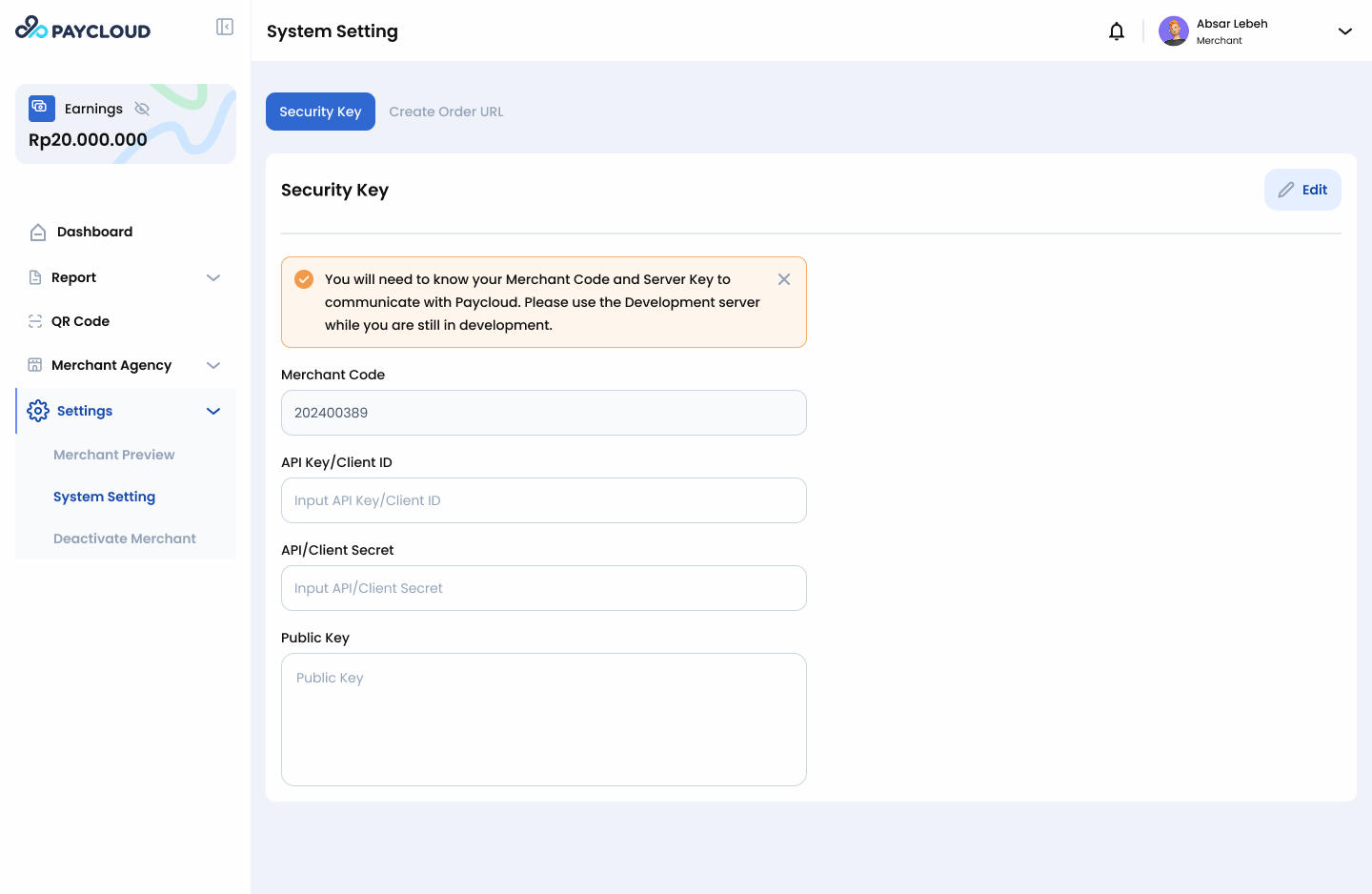
Then the page will display: Merchant Code (auto-generated after onboarding approval), Client ID, Client Secret and Public Key configuration area.
-
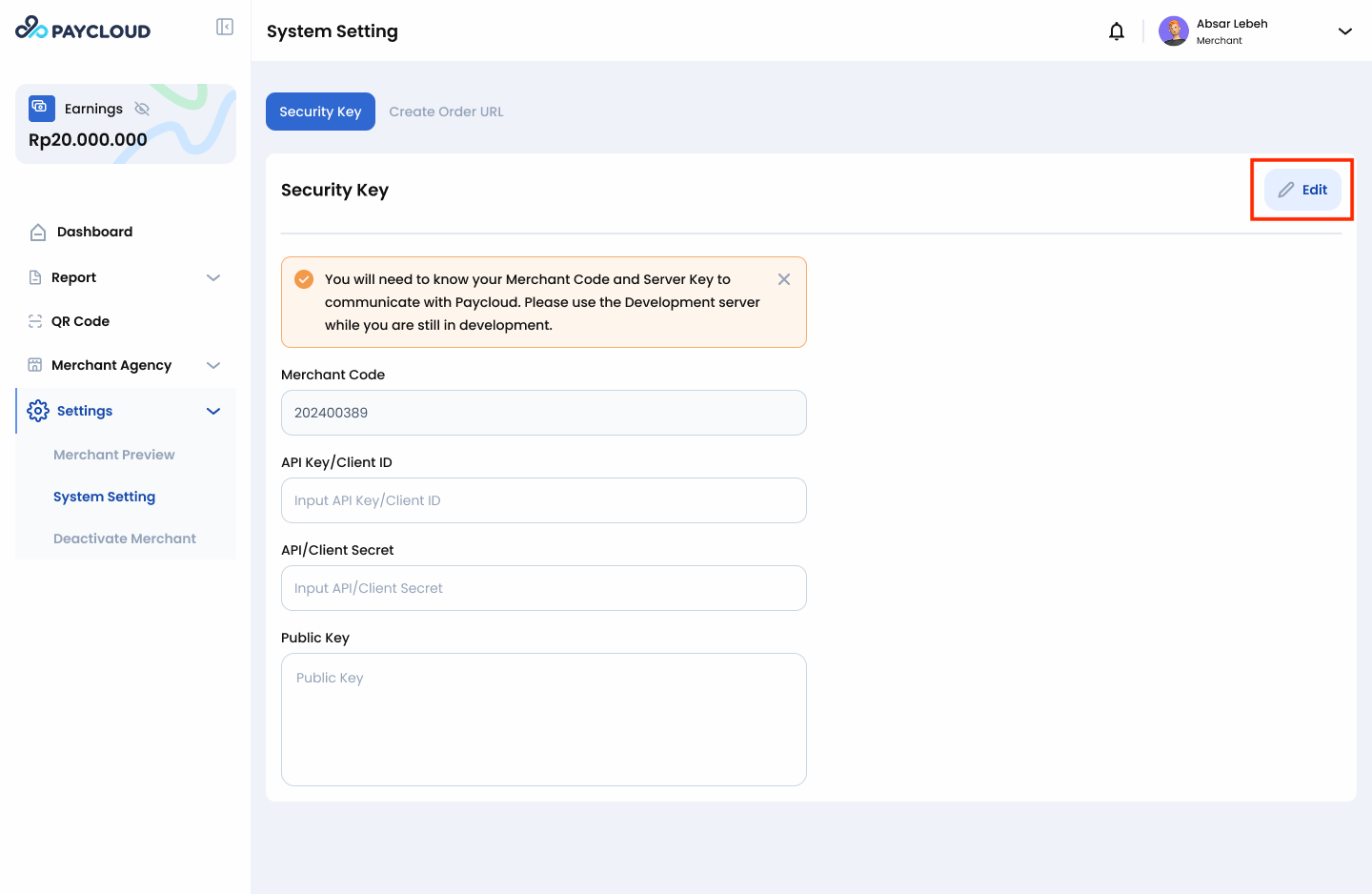
Click the Edit button on the Security Key page.
-
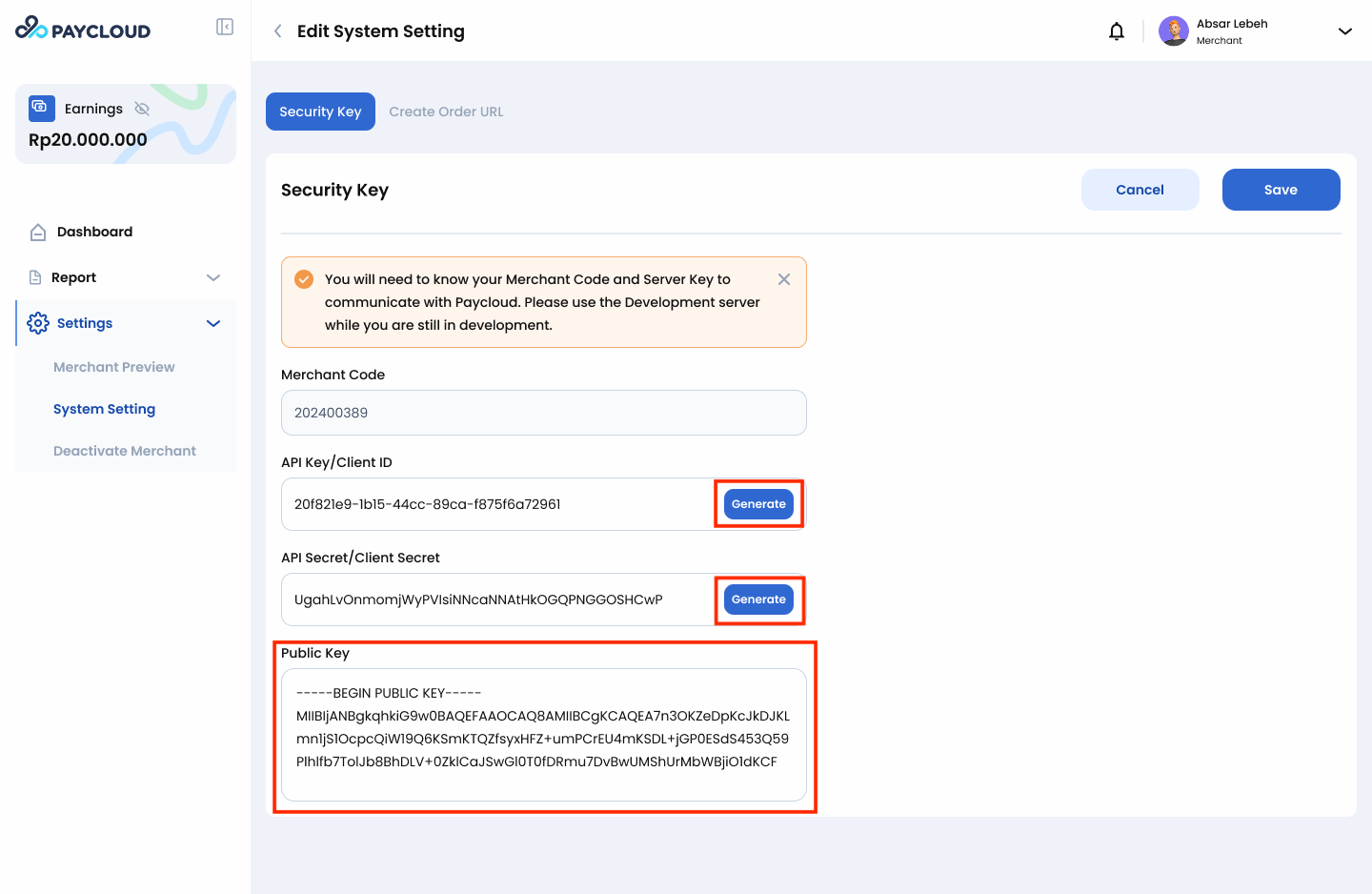
In the API Key (Client ID) and API Secret (Client Secret) section, click Generate.
Note: Client ID and Client Secret must be generated manually for security reasons.
- Each click generates a unique, random key pair.
- This ensures your API credentials are secure and cannot be guessed or reused by others.
-
Then paste your Public Key into the Public Key field.
Ensure the key uses the correct PEM format:
-----BEGIN PUBLIC KEY-----
MIIBIjANBgkqhkiG9w0BAQEFAAOCAQ8AMIIBCgKCAQEAtV1y0qN7x4HpB3m5z9uQ
8lE9Q2fF4aDq9x7V0kPfmjA3qZkJZp4sX2Yw1Lt3Q0bC8a+7K5zDz8vQF6xN8Q5p
gZ9xBf6tO2wS0GdHqfH+qW2d4JHq9VxKbnR2tWgFzXkFqJ4uJZn3Pq7gB3yK8mH+
eQt9V2y4QHp7w8B1fD0HqLs9GJf2QkHk2LrJf7LqXo9Fz0P2aDk7wFz2SbGTfL9b
Q2bJc0pF9fF0sZp8Fzq3Gx9A7tPjJ9Qk2Zk4tWn0C6yD0rG7FjKp3VgH8tR2wM8L
A3sW9uH3TqJf9M3pP8xKf9rBf3Hk2Zb5Qk9D2yM7C1sP6tB8Wb8K3E5hX8Yj7R4P
hQIDAQAB
-----END PUBLIC KEY-----
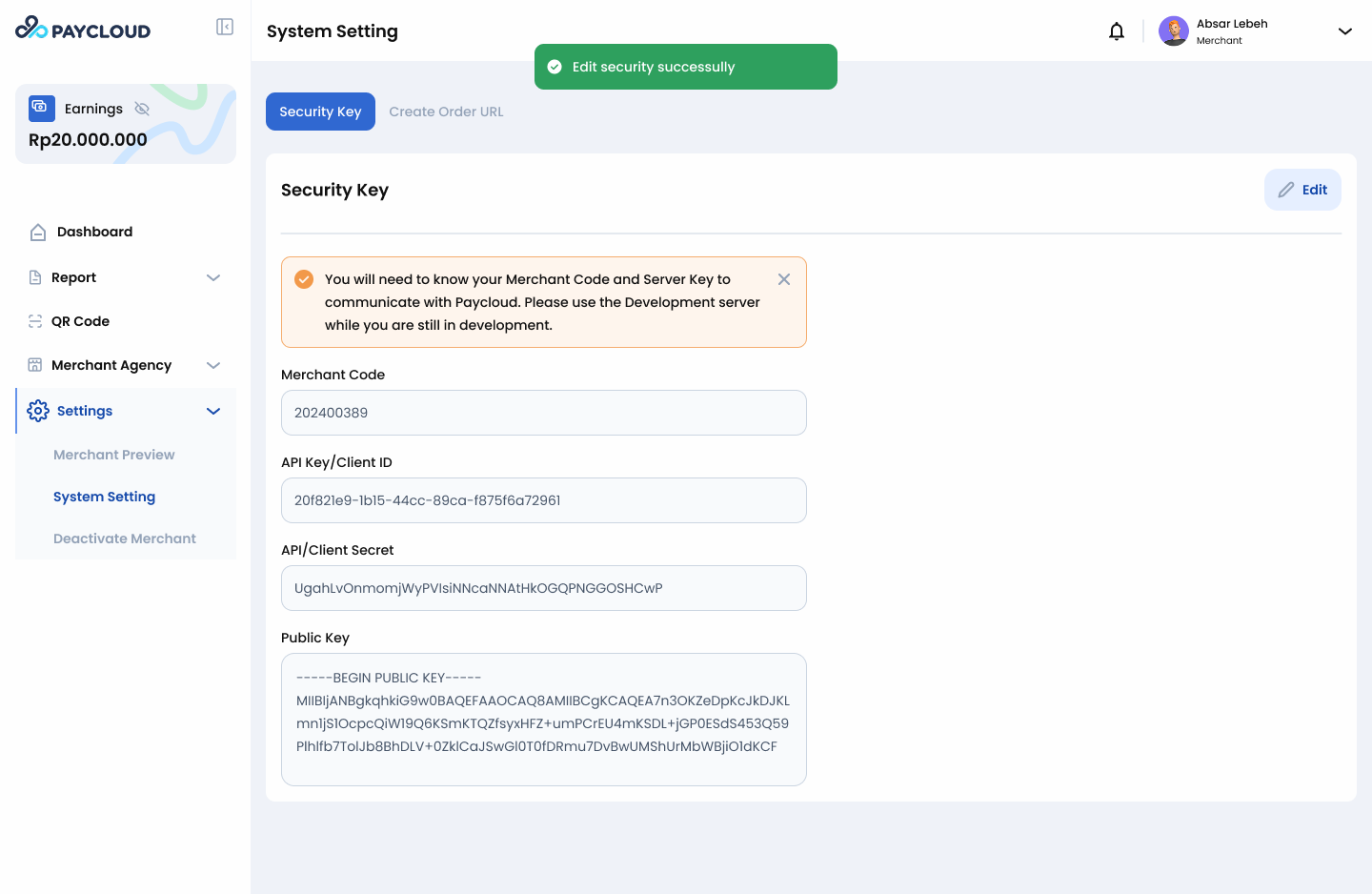
- Click Save Changes to apply the configuration.
- If you don’t have a Public Key, here’s how to generate one:
- Open one of the following RSA key generator tools: https://cryptotools.net/rsagen or https://8gwifi.org/rsafunctions.jsp
- Select RSA 2048-bit or higher.
- Click Generate to create your RSA key pair.
- The tool will provide:
- Public Key (PEM format)
- Private Key (PEM format)
Important Notes
- Keep your Private Key secure.
- Do not upload or share it.
- This key is required to generate API request signatures.
- If lost, you must generate a new key pair and re-upload the Public Key.
By completing these steps, your Security Key configuration will be successfully set up and ready for API integration.