
This page explains how to configure Create Order URL, specifically to set your Callback Notification URL. This URL is required to properly receive transaction status notifications (success or failure) from Paycloud to your merchant system.
-
Click the Settings menu.
-
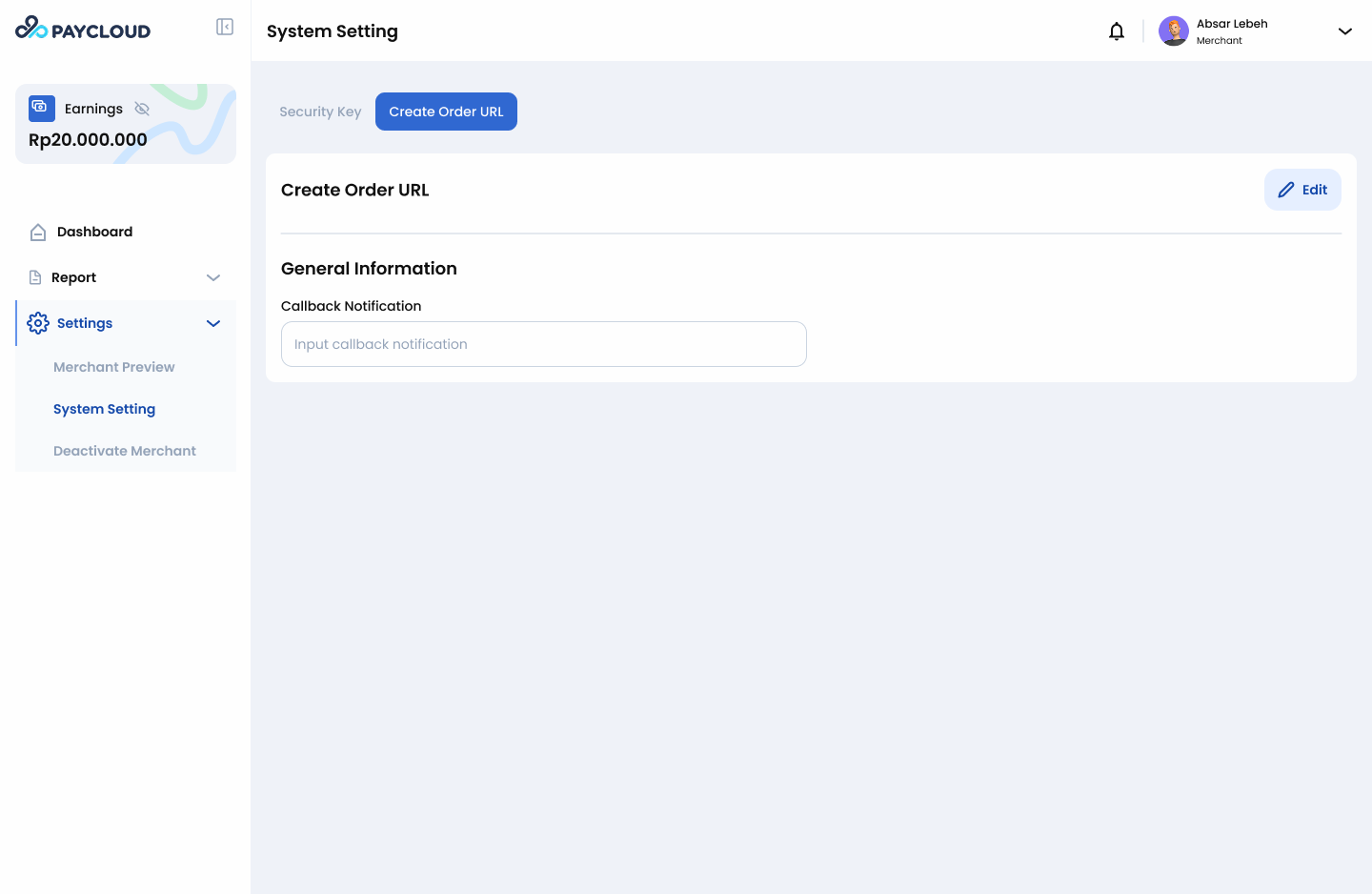
Select the Create Order URL submenu.
-
The page will display the field for Callback Notification:
Callback Notification: Receives transaction status notifications sent from Paycloud to the merchant. -
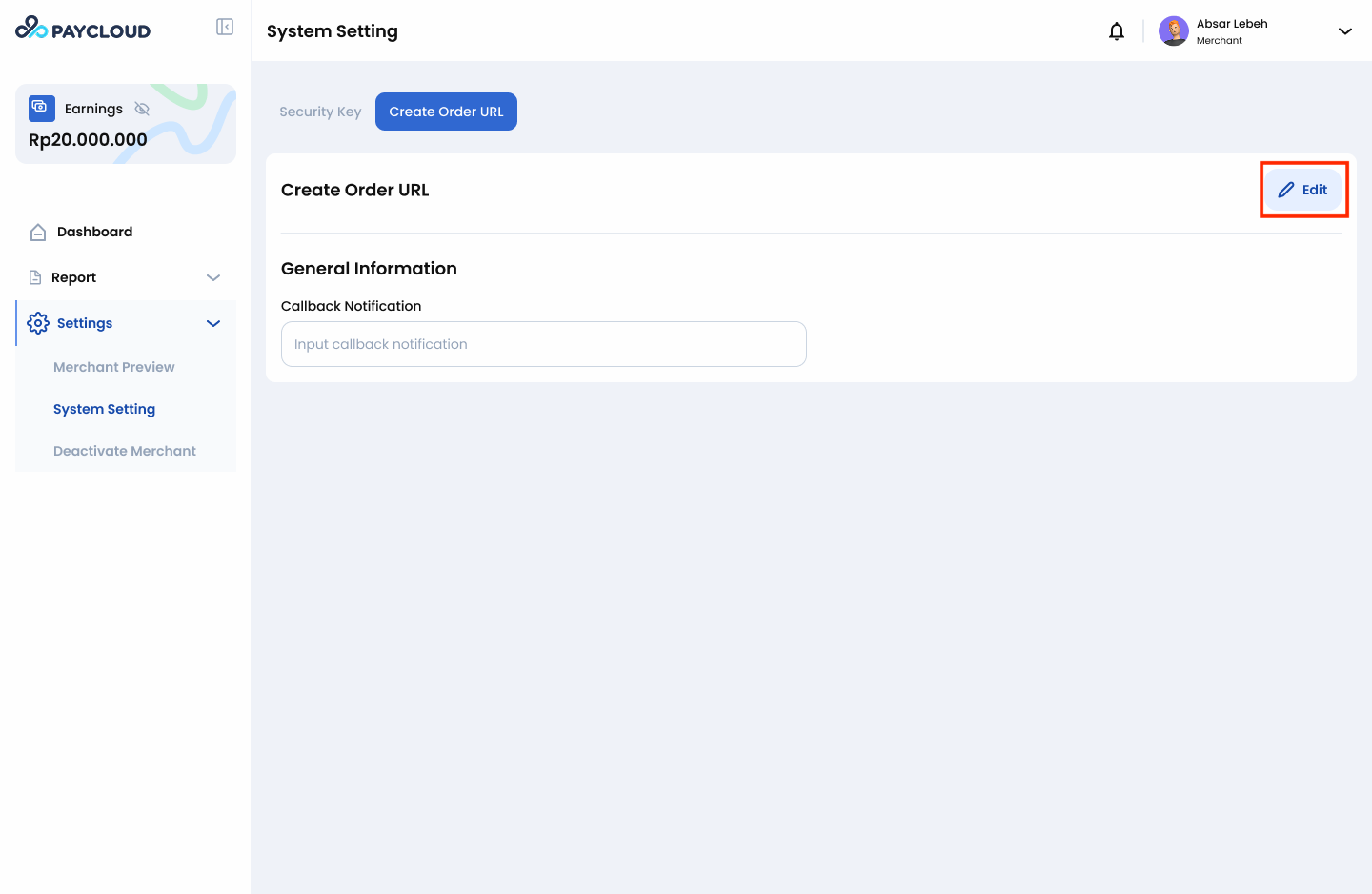
Click the Edit button on the Create Order URL page.
-
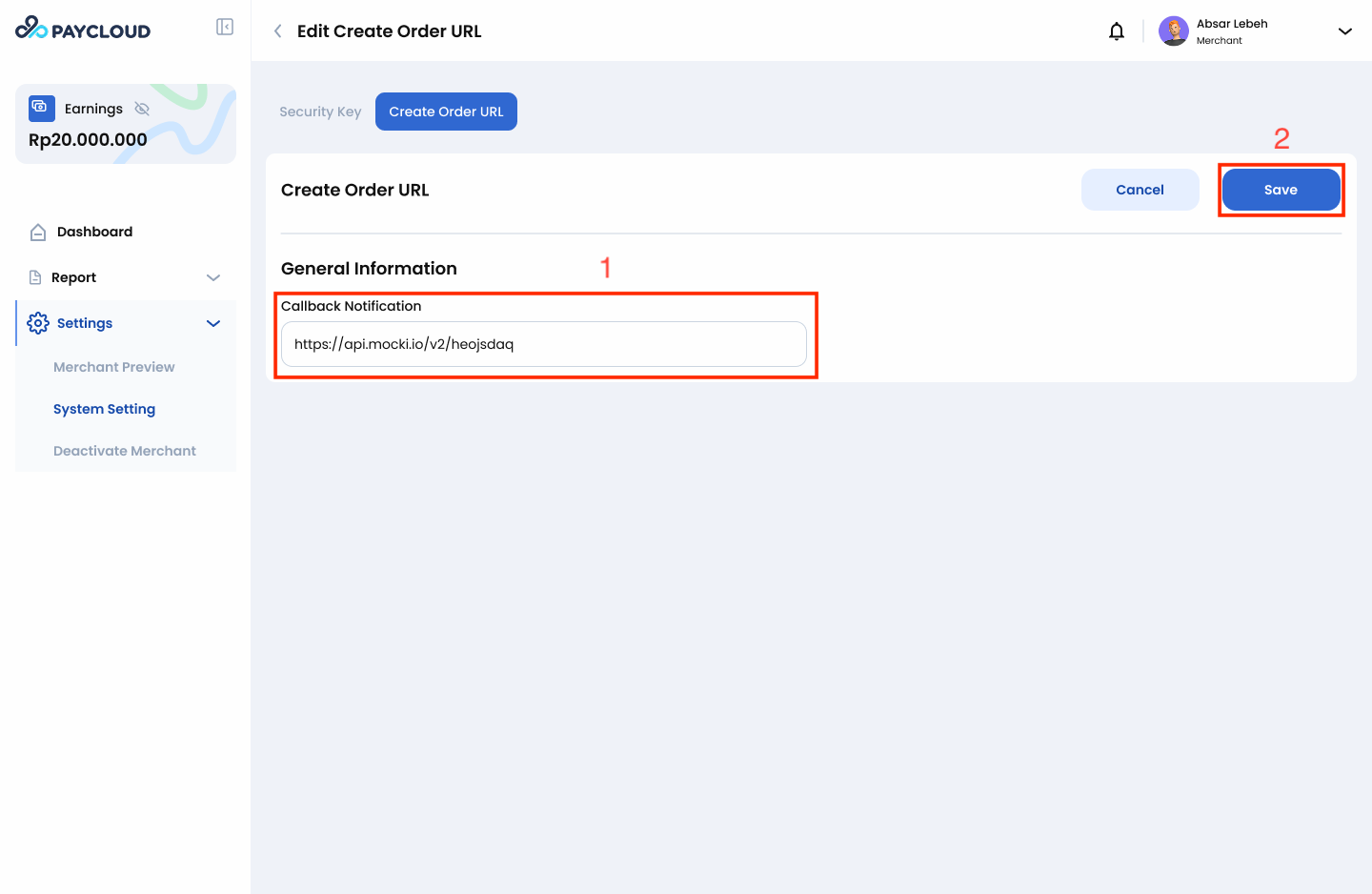
Enter your Callback Notification URL.
-
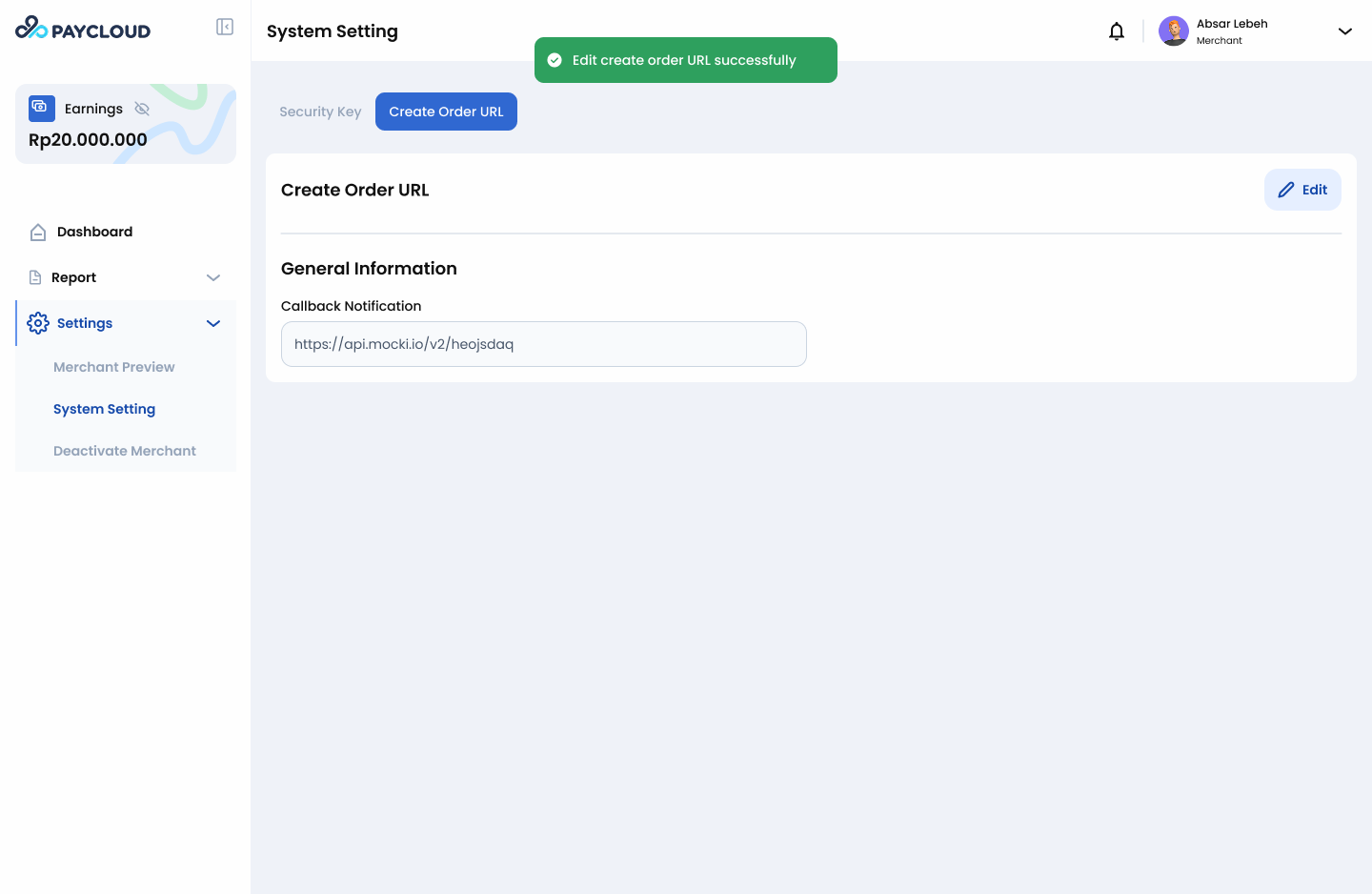
Click Save to apply the configuration. The system will show a pop-up notification confirming that your URL has been saved.
Important Notes
- Ensure that the Callback Notification URL is accessible and correctly formatted.
- The URL must be capable of handling POST requests from Paycloud.
- Test the Callback Notification URL to verify that transaction notifications are received correctly.
By completing these steps, your Create Order URL configuration for Callback Notification will be successfully set up and ready for receiving transaction updates.
.