
This page provides a complete onboarding guide for new users.
After successfully creating an account, the system will automatically redirect you to the onboarding page.
Overview
Once you are redirected to the onboarding page, the system will display the onboarding form.
All fields must be completed according to your business type and registration requirements.
1. Business Type
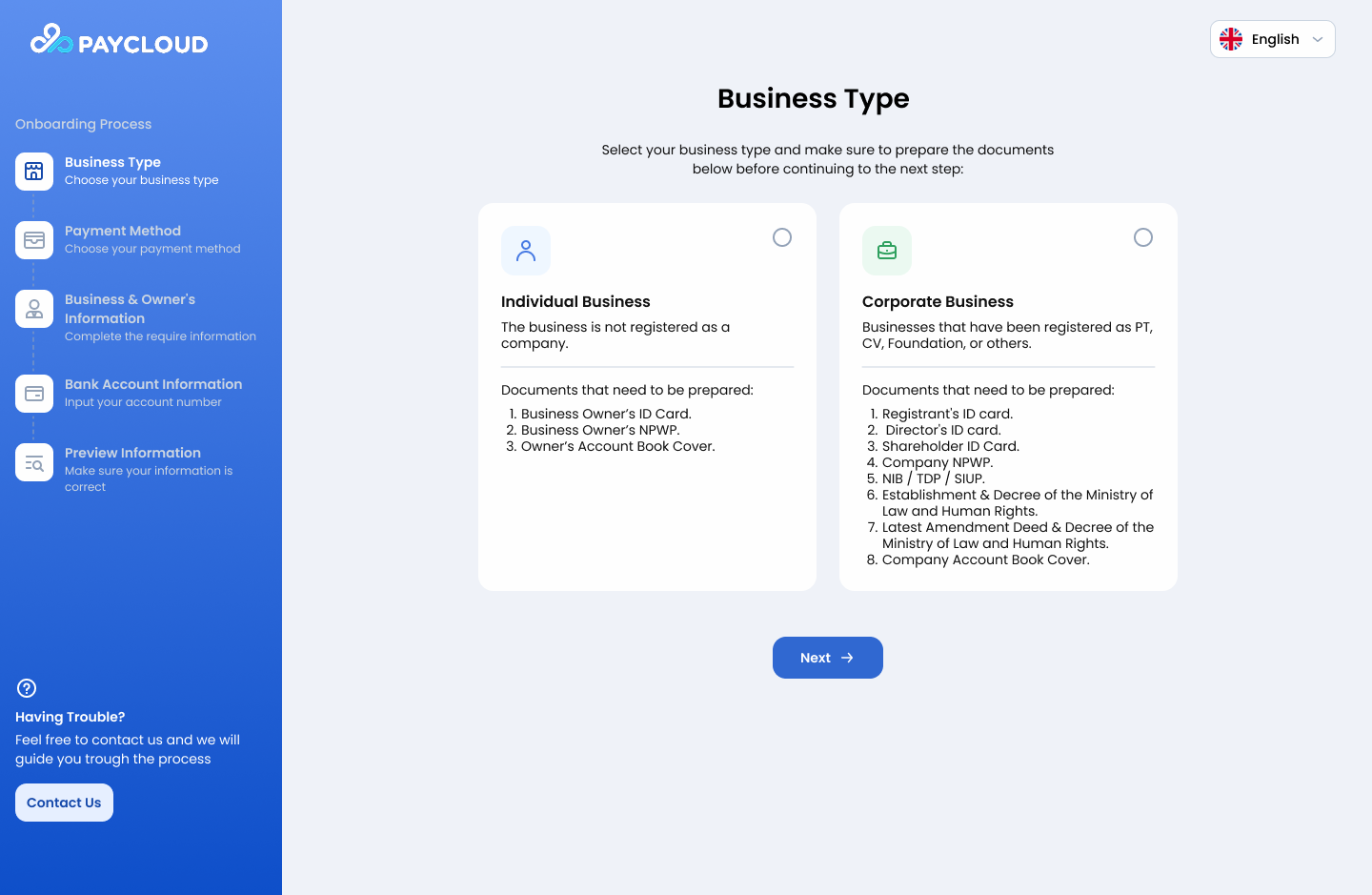
Onboarding Page - Business Type
On this page, merchants can select the business type and product package based on their business model. Two business types are available:
- Individual Business, A business owned and operated by an individual.
- Corporate Business, A business owned under a legal entity such as PT, Foundation, CV, UD, educational institution, or association
Required Documents :
Individual Business
| No | Document Name | Description |
|---|---|---|
| 1 | Business Owner’s ID Card | Valid KTP of the business owner |
| 2 | Business Owner’s NPWP | NPWP registered under the owner’s name |
| 3 | Owner’s Account Book Cover | The cover page showing owner name & bank info |
Corporate Business
| No | Document Name | Description |
|---|---|---|
| 1 | Registrant’s ID Card | KTP of the person registering the account |
| 2 | Director’s ID Card | KTP of the company’s director |
| 3 | Shareholder ID Card | KTP of one or more shareholders |
| 4 | Company NPWP | NPWP registered under the company |
| 5 | NIB / TDP / SIUP | Business permit documents |
| 6 | Establishment Deed & MoLHR Decree | Company establishment documents |
| 7 | Latest Amendment Deed & MoLHR Decree | Most recent amendment documents |
| 8 | Company Account Book Cover | Bank account book cover under company name |
2. Payment Method
This page allows users to configure the available payment methods.
Currently, Paycloud only supports QRIS as the active payment method. Additional payment methods will be made available in future updates.
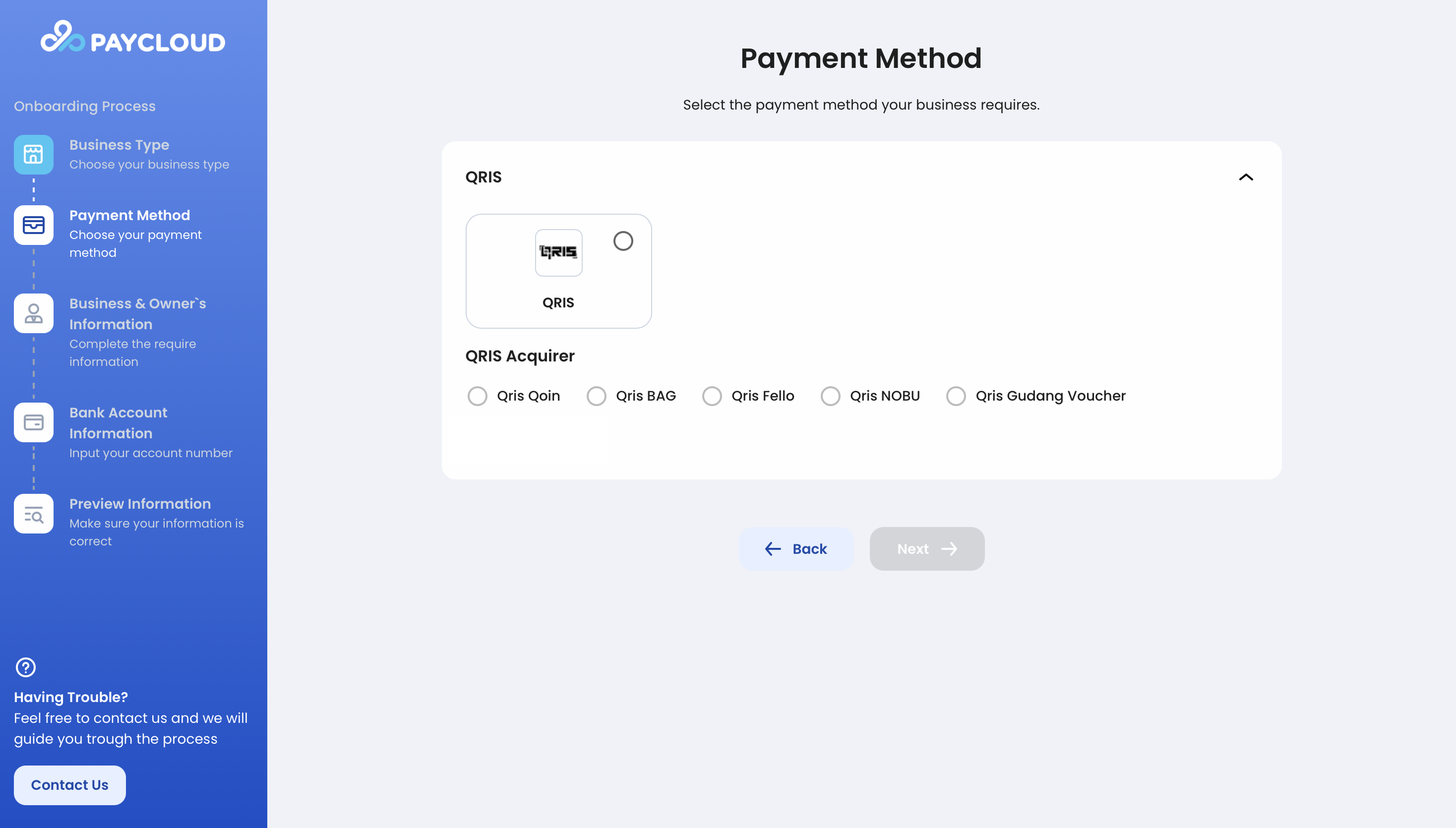
Onboarding Page - Payment Method
3. Business & Owner’s Information
This section collects detailed information about your business and business owner.
The available form differs depending on your selected business type.
3.1 Individual Business
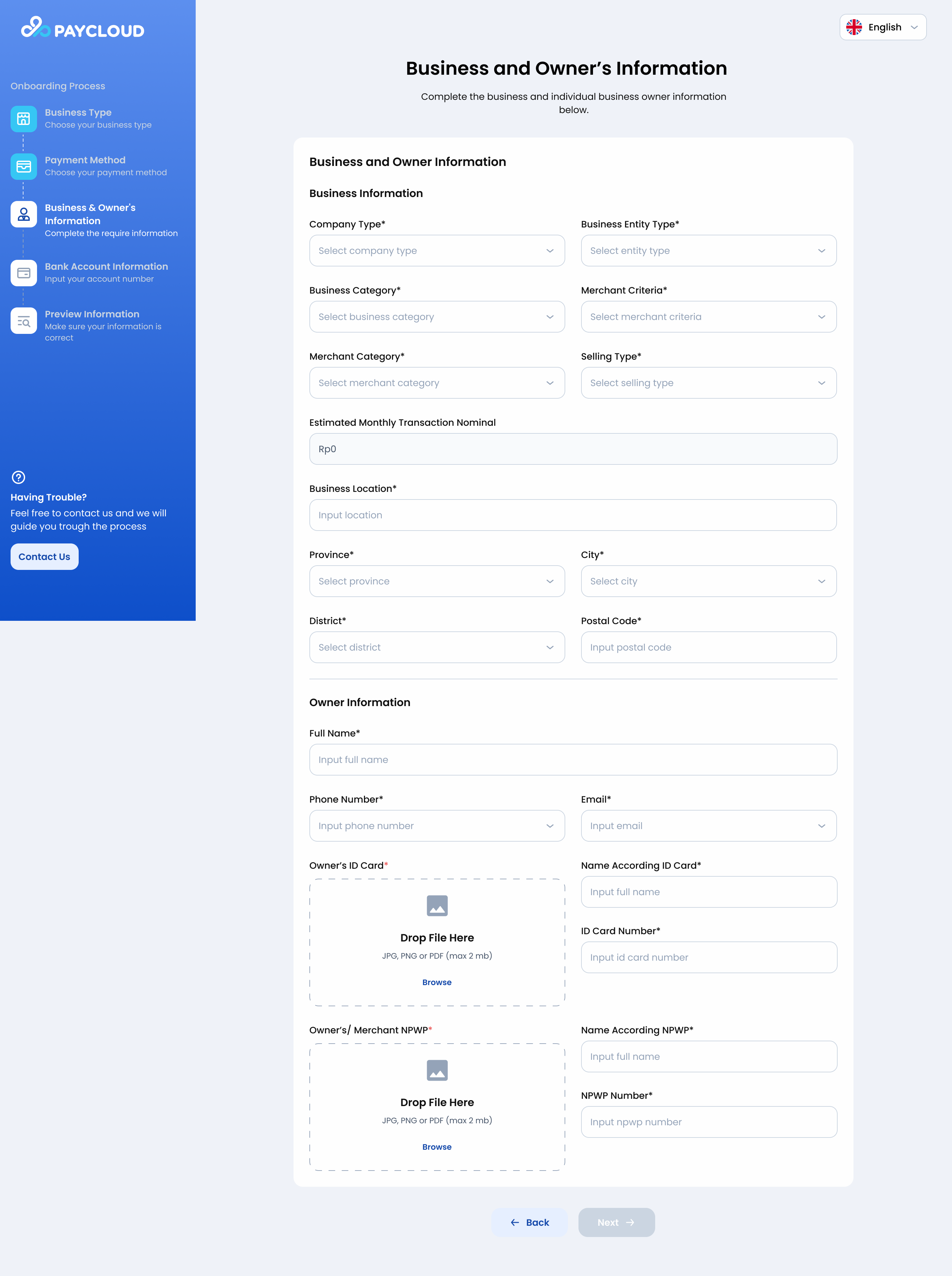
Onboarding Page - Business and Owner Information (Individual)
A. Business Information
Required fields:
- Company Type*
- Business Entity Type*
- Business Category*
- Merchant Criteria*
- Merchant Category*
- Selling Type*
- Estimated Monthly Transaction Nominal
- Business Location*
- Province*
- City*
- District*
- Postal Code*
B. Owner Information
Required fields:
- Full Name*
- Phone Number*
- Email*
- Owner’s ID Card*
Upload KTP (JPG/PNG/PDF, max 2MB) - Name According ID Card*
- ID Card Number*
- Owner’s / Merchant NPWP*
Upload NPWP (JPG/PNG/PDF, max 2MB) - Name According NPWP*
- NPWP Number*
3.2 Corporate Business
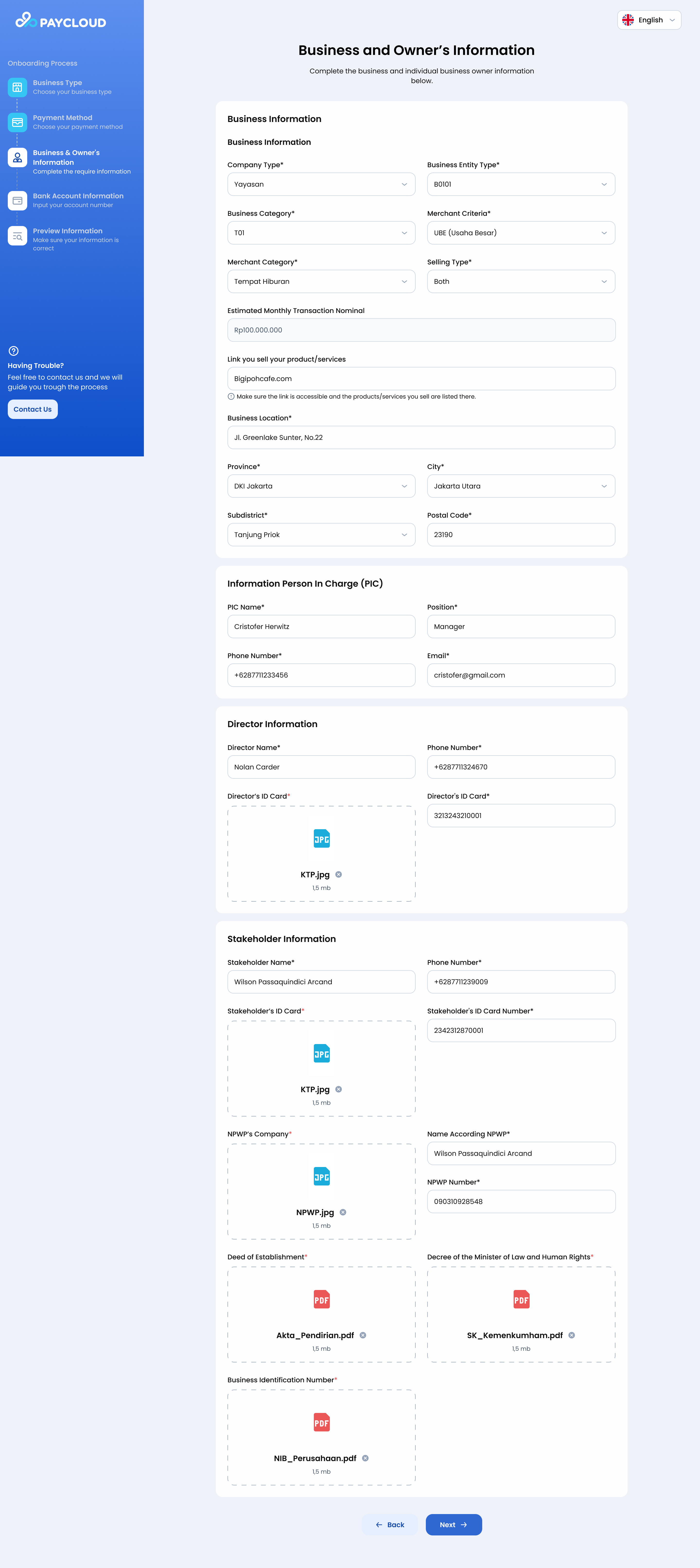
Onboarding Page - Business and Owner Information (Coorporate)
A. Business Information
Required fields:
- Company Type*
- Business Entity Type*
- Business Category*
- Merchant Criteria*
- Merchant Category*
- Selling Type*
- Estimated Monthly Transaction Nominal
- Link you sell your product/services
(With confirmation checkbox) - Business Location*
- Province*
- City*
- Subdistrict*
- Postal Code*
B. Person in Charge (PIC) Information
Required fields:
- PIC Name*
- Position*
- Phone Number*
- Email*
C. Director Information
Required fields:
- Director Name*
- Phone Number*
- Director’s ID Card*
Upload KTP (JPG/PNG/PDF, max 2MB) - Director’s ID Card Number*
D. Stakeholder Information
Required fields:
- Stakeholder Name*
- Phone Number*
- Stakeholder’s ID Card* (JPG/PNG/PDF, max 2MB)
- Stakeholder’s ID Card Number*
- NPWP’s Company* (JPG/PNG/PDF, max 2MB)
- Name According NPWP*
- NPWP Number*
- Deed of Establishment (PDF, max 2MB)*
- Decree of the Minister of Law and Human Rights (PDF, max 2MB)*
- Business Identification Number (NIB) (PDF, max 2MB)*
4. Bank Account Information
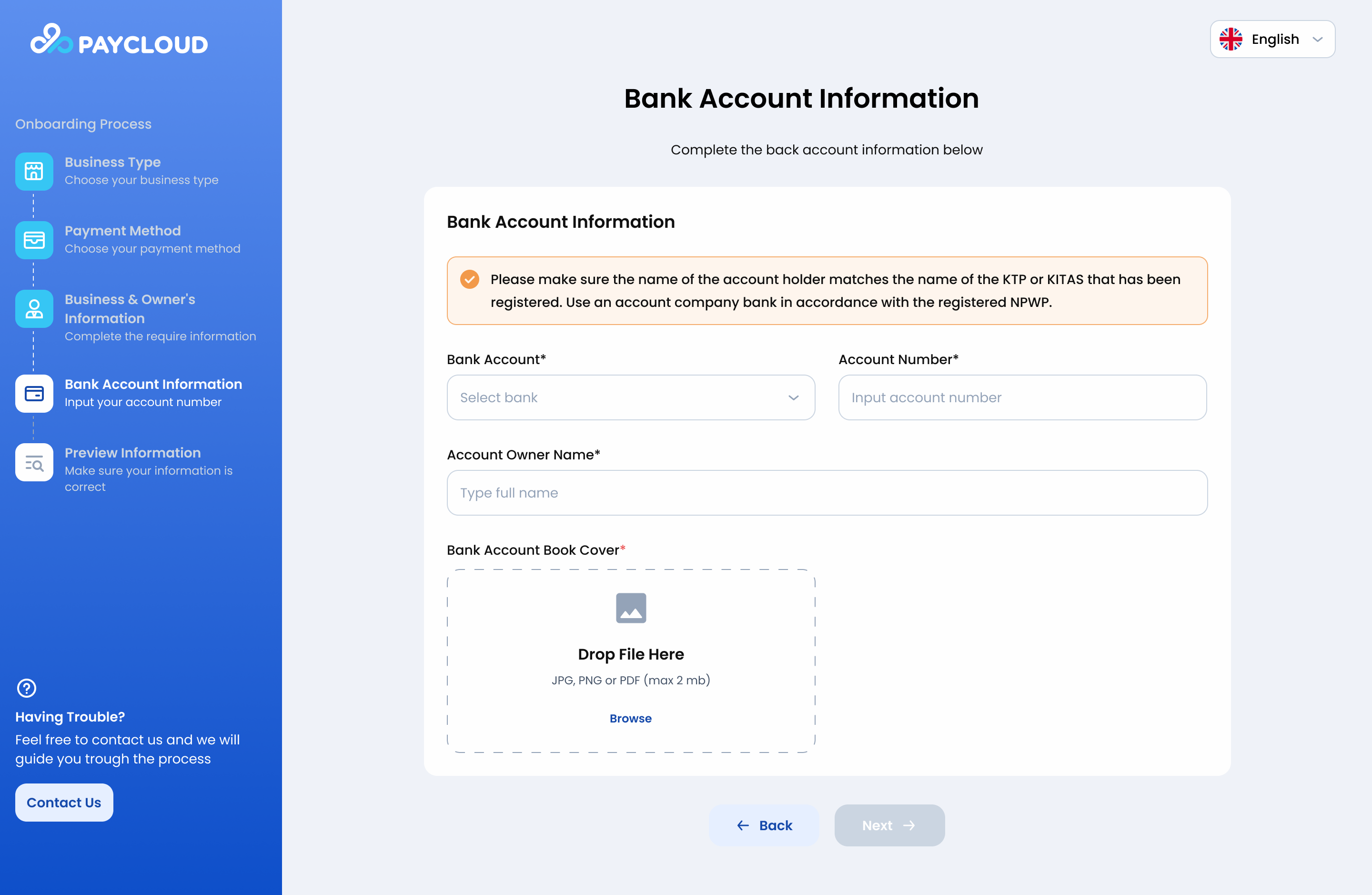
Onboarding Page - Bank Account Information
Fill in the following fields according to KTP/KITAS:
- Bank Name
- Bank Account Number
- Account Holder Name
5. Preview Information
Before submitting, review the information summary to ensure everything is correct.
If any data needs to be updated, return to the previous steps to make revisions.
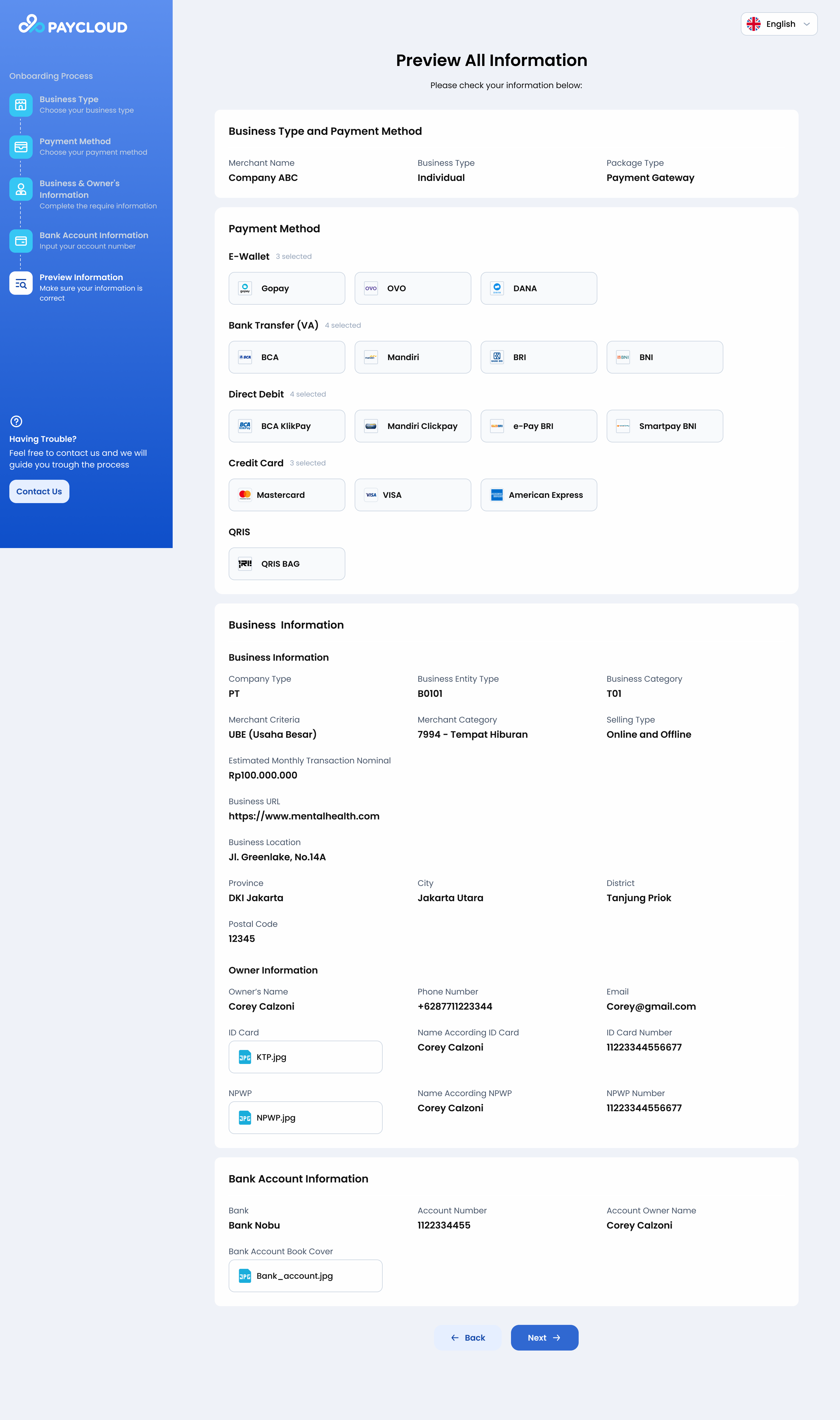
Onboarding Page - Preview (Individual)
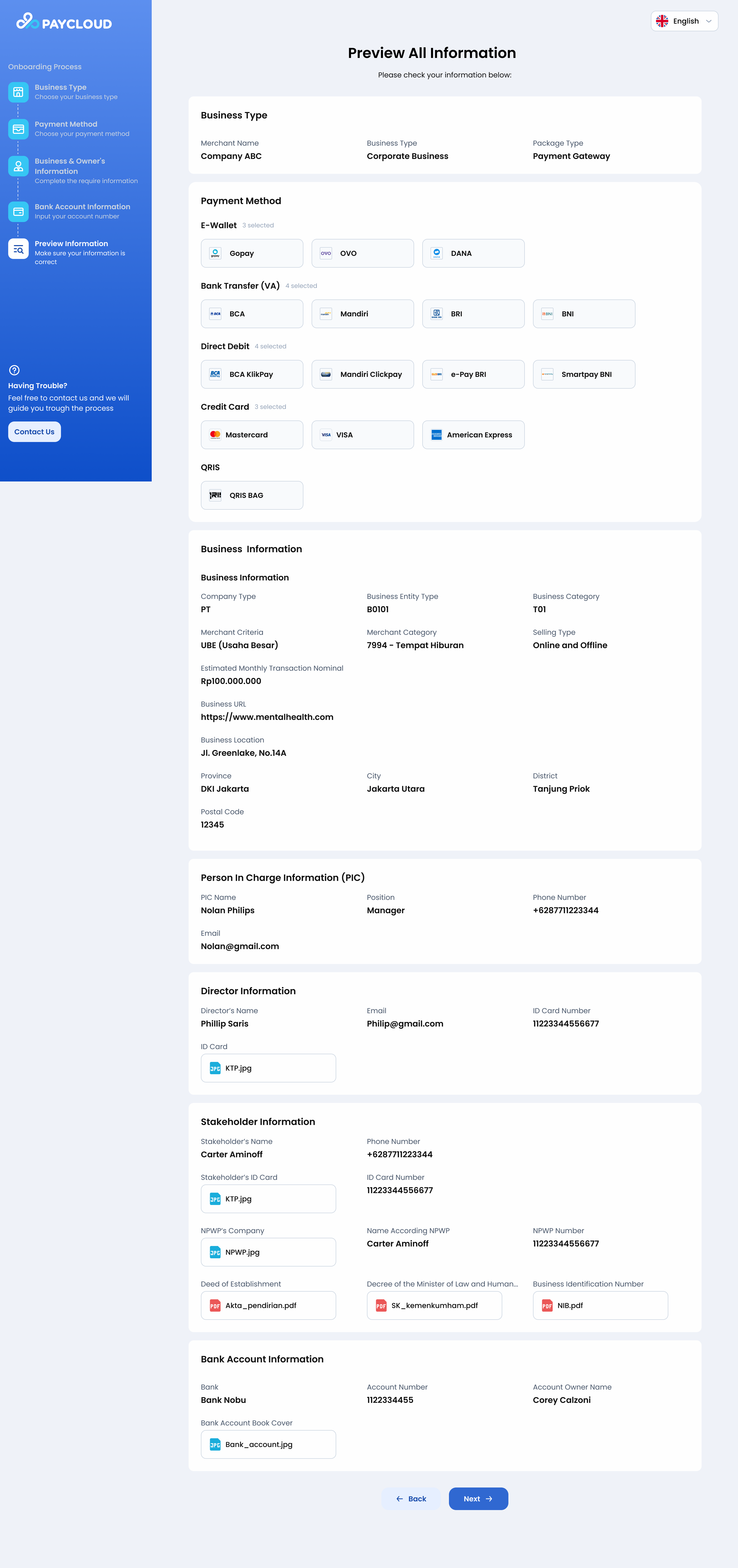
Onboarding Page - Preview (Coorporate)